Get On Google Play
ARTOVA MOBILE APPS

CREATE.
PLAY.
INSPIRE.

Apps that entertain, tools that empower. We craft cutting-edge augmented reality tools and comprehensive gaming companions designed for creators and gamers worldwide.

100K+ Active Users
4.8★ Play Store Rating
120 FPS Native Fluidity
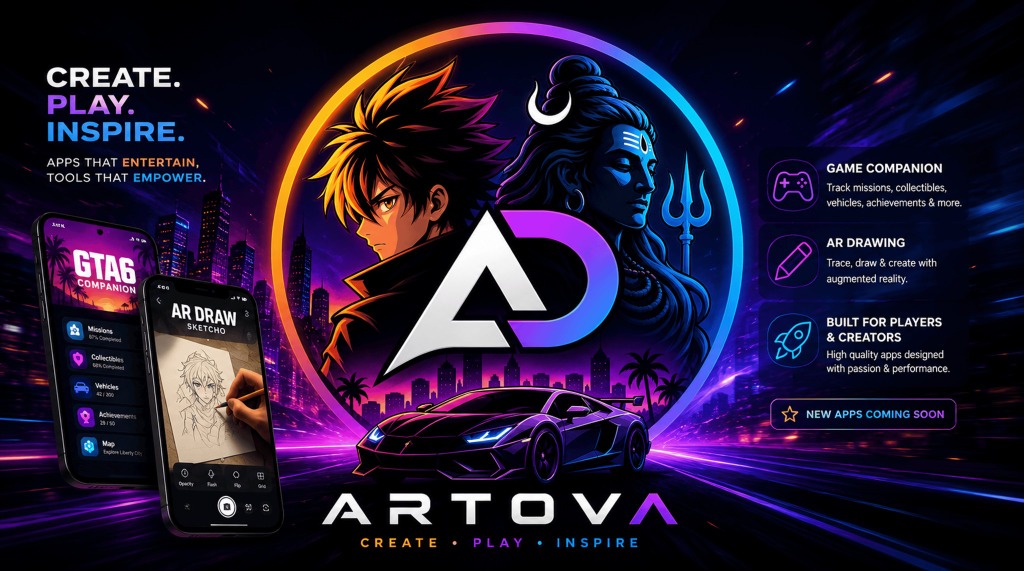
ARTOVA Studios Hero Art - AR Draw and GTA Companion
⭐ Official ARTOVA Showcase
FLAGSHIP PORTFOLIO

Designed with Passion & Performance

Discover our highest rated mobile applications available now on the Google Play Store.

AR DRAWING & SKETCH
⭐ 4.8 / 5.0 (Google Play)

AR Draw: Trace & Anime Sketch
(Sketcho)

Transform your mobile device into a futuristic augmented reality drawing projection canvas. Project any anime, cartoon, sketch, or personal photo directly onto paper or canvas and trace with unmatched precision.

📷

Camera AR Projection

Real-time optical overlay directly on physical paper.

🎚️

Precision Opacity & Flash

Fine-tune transparency, flashlight, grid, and flip.

🎨

500+ Anime Stencils

Manga heroes, aesthetics, chibi, cars, and landscapes.

📹

Time-Lapse Video

Record your full drawing process and share to socials.

GET IT ON Google Play
AR DRAW : SKETCHO ● LIVE AR
Anime Sketch AR Preview
Opacity 85%
GTA6 COMPANION 40%
ULTIMATE GAME COMPANION
⭐ 4.9 / 5.0 Rating

GTA6 Game Companion
Tracker & Database

The essential next-gen utility for open-world exploration. Track all story missions, 100% completion checklist, interactive high-resolution satellite maps, vehicle performance telemetry, and cheat codes.

🗺️

Interactive Satellite Map

Instant GPS points for caches, stunts, and secret loot.

📋

100% Checklist Tracker

Check off missions, bounties, and achievements in real time.

🏎️

Supercars & Vehicle Stats

Top speed, acceleration, handling, and spawn locations.

🎮

Cheats & Strategy Vault

Comprehensive instant cheat codes for PlayStation, Xbox & PC.

GET IT ON Google Play
INTERACTIVE PLAYGROUND

Experience AR Tracing in Your Browser

Simulate how AR Draw overlays anime stencils on real paper before downloading.

Select a Drawing Stencil

Pick a template to test the optical projector

✏️ Projected AR Artwork
Projection Opacity 75%
Download Full AR App
ARTOVA PRINCIPLES

Built for Players & Creators

We combine state-of-the-art Android native architecture with intuitive user design.

🚀

High-Performance Jetpack Compose

Our applications are engineered with 100% native Kotlin and Jetpack Compose for ultra-fluid 120Hz rendering, zero stutter, and minimal battery consumption even during intensive camera and 3D processing.

📷

Augmented Reality Vision

Leveraging low-latency CameraX APIs and computer vision algorithms to create seamless real-time projection filters and edge-detection stencils.

🔒

Privacy-First Architecture

Your camera feed and drawings stay strictly on your local device. We value user privacy and data security above all else.

⚡

Continuous Updates & Community Feedback

We iterate rapidly based on user reviews, adding hundreds of fresh stencils, game map markers, and performance enhancements every month.

⭐ STUDIO ROADMAP

More Innovative Apps Coming Soon

We are actively developing next-generation AI drawing assistants, 3D AR sculpting utilities, and cloud companion platforms.

Follow Developer on Google Play
FAQ

Frequently Asked Questions

Everything you need to know about AR Draw and our companion utilities.

How does the AR Draw tracing feature work? ▼
AR Draw uses your phone's camera feed to overlay transparent stencils on top of your drawing paper in real-time. Simply place your phone on a glass, stand, or tripod pointing at your paper, adjust the opacity, and trace along the lines!
Can I convert my own photos into drawing outlines? ▼
Yes! AR Draw includes an AI Sketch converter that instantly transforms any photo from your personal gallery or camera into a clean, trace-ready stencil.
Is the GTA6 Companion app free to use? ▼
Yes! GTA6 Companion offers free access to the interactive map, 100% mission checklist tracker, vehicle stats, weapon guides, and cheat codes.
Are my drawings and photos saved securely? ▼
All your captured sketches, photos, and time-lapse recordings remain stored locally on your device storage unless you explicitly choose to share or export them.